Instant Capture, Unbelievably Simple
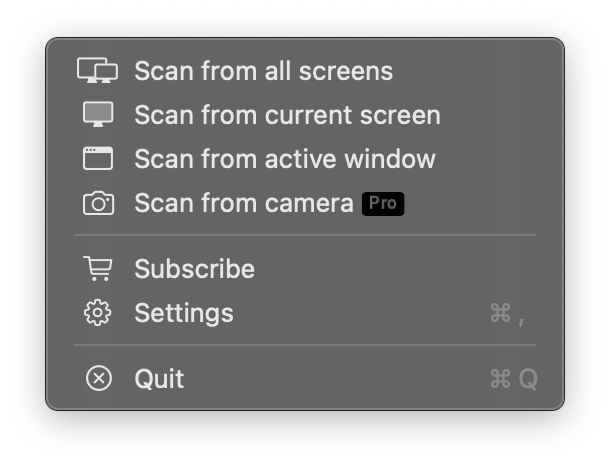
Are you tired of the hassle of scanning QR codes from your screen? Whether it's from a webpage, a document, or an application, just click the QRCodeSnap icon in your menu bar. It will instantly scan the entire screen, find, and recognize all QR codes for you. It's hassle-free and all about efficiency.
OCR Text Recognition
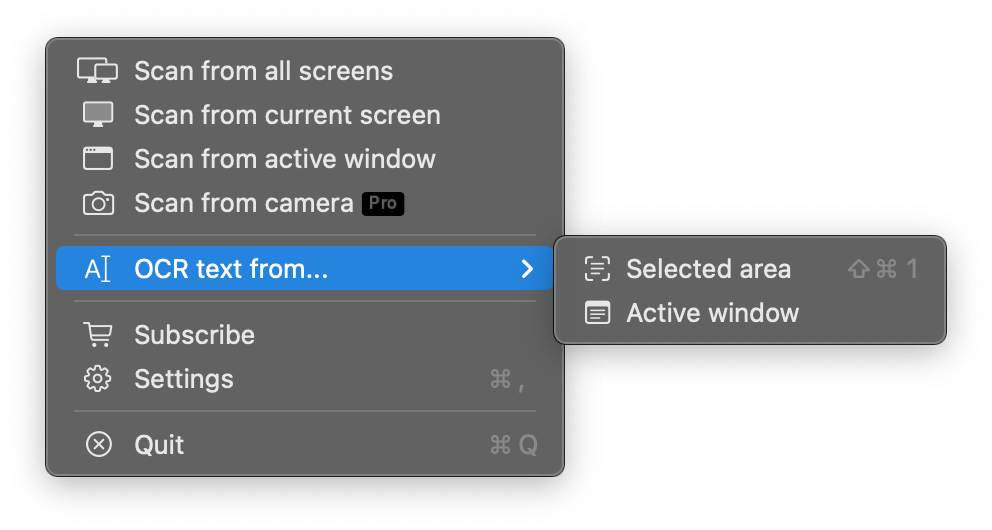
Select text from image on screen — if you can read it, you can select it. Extract text from any screen area instantly. Select any region or let the app recognize text from the active window automatically. Character-level precision selection with double-click to select word, triple-click to select line. Just copy with Cmd+C or right-click menu.
Privacy First — Your data is processed locally on your Mac. Nothing is sent to external servers.
Everything You Need, All in One Place
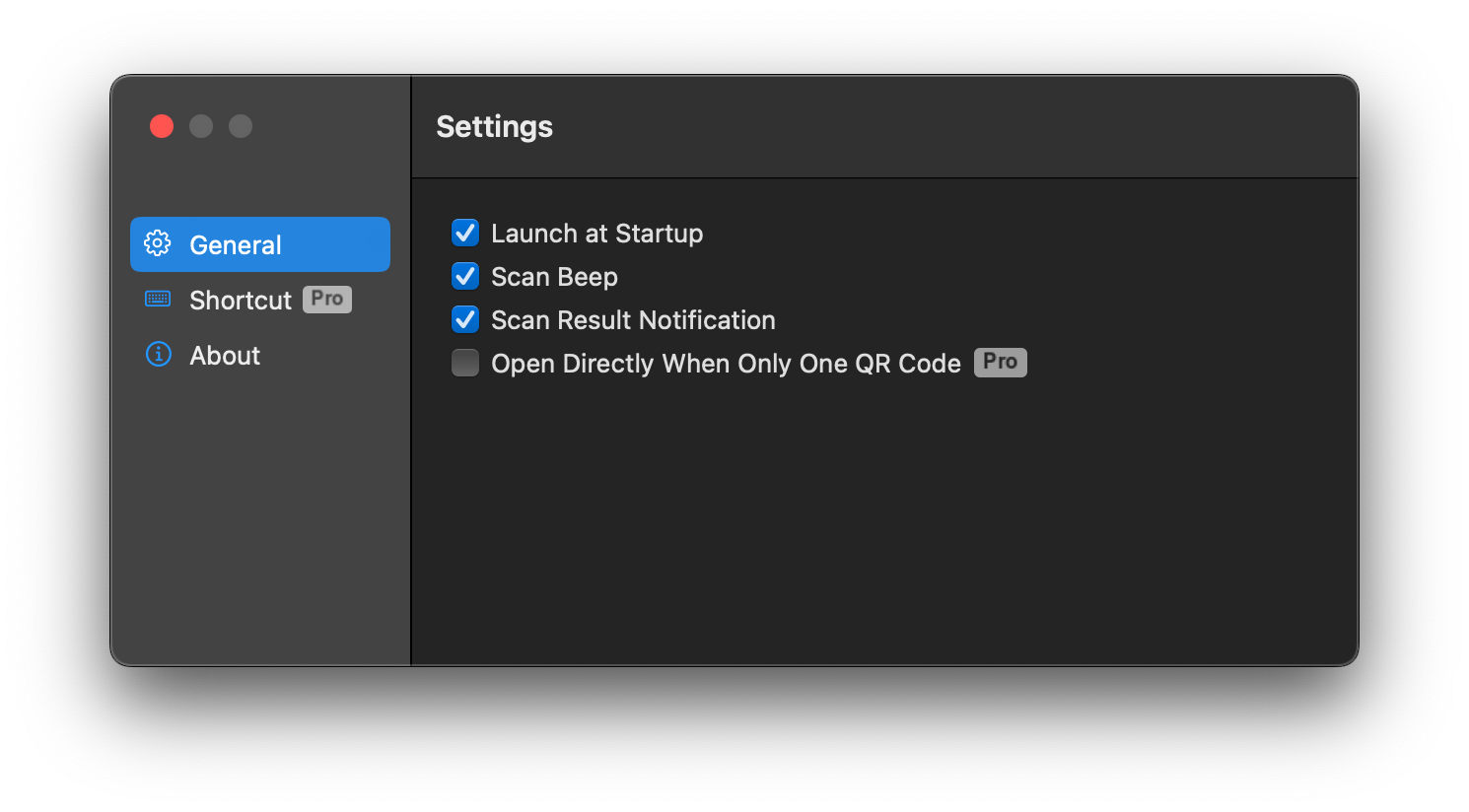
QRCodeSnap offers a range of customizable settings to perfect your user experience. Set it to launch at login so it's always ready, enable sound notifications for instant feedback on every successful scan, or choose to receive results directly via a system notification. We've thought of every detail.
Upgrade to Premium, Unlock More Possibilities
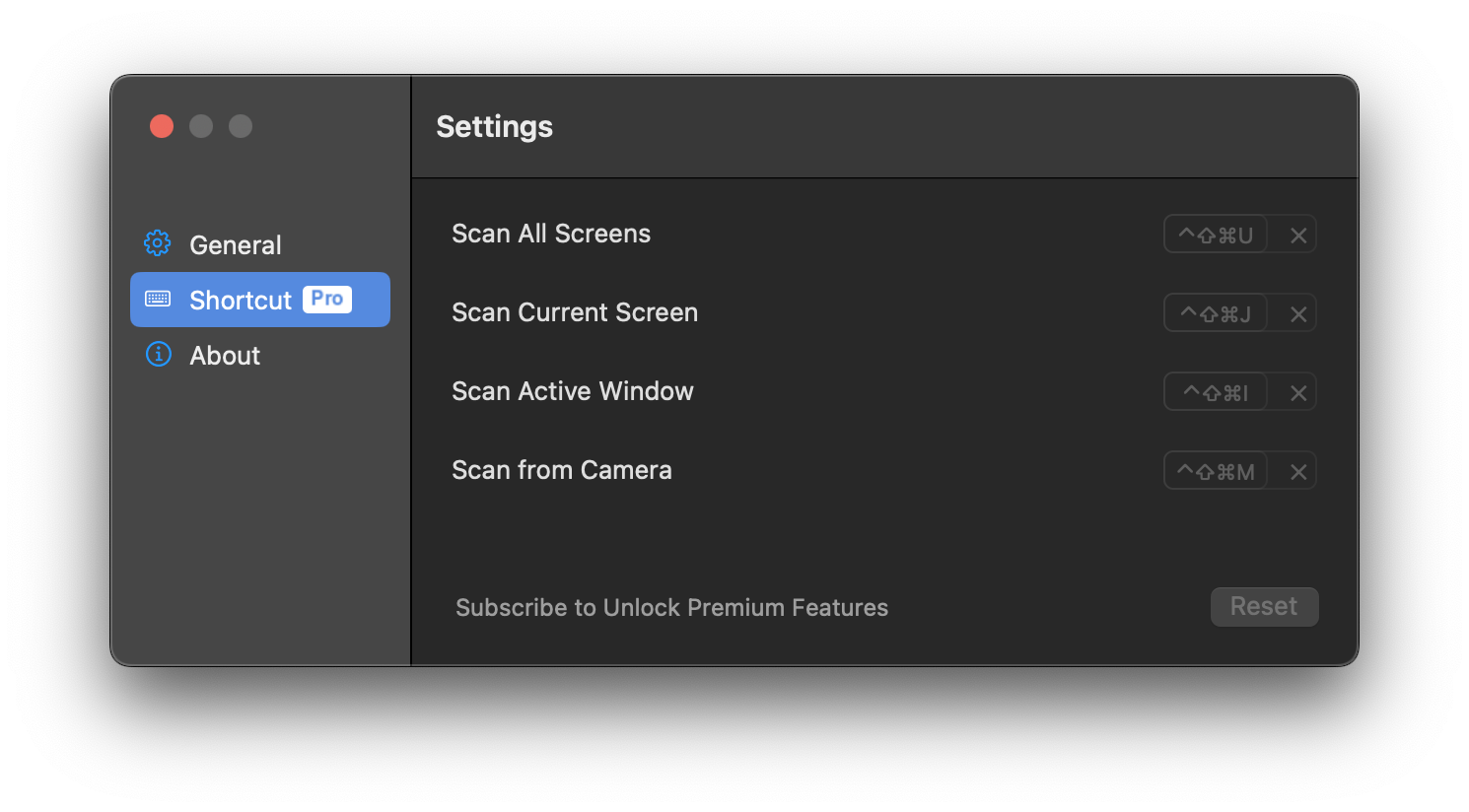
By subscribing to the Premium plan, you get access to more powerful features to enhance your workflow. Enable "One-Click Open" mode to instantly open the result when only one QR code is found; set a global shortcut to trigger a scan with just your keyboard; you can even use your Mac's camera to scan real-world QR codes.