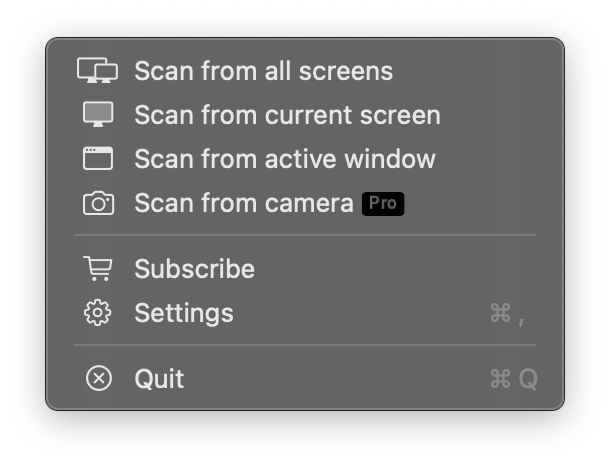
Instant Capture, Unbelievably Simple
Are you tired of the hassle of scanning QR codes from your screen? Whether it's from a webpage, a document, or an application, just click the QRCodeSnap icon in your menu bar. It will instantly scan the entire screen, find, and recognize all QR codes for you. It's hassle-free and all about efficiency.
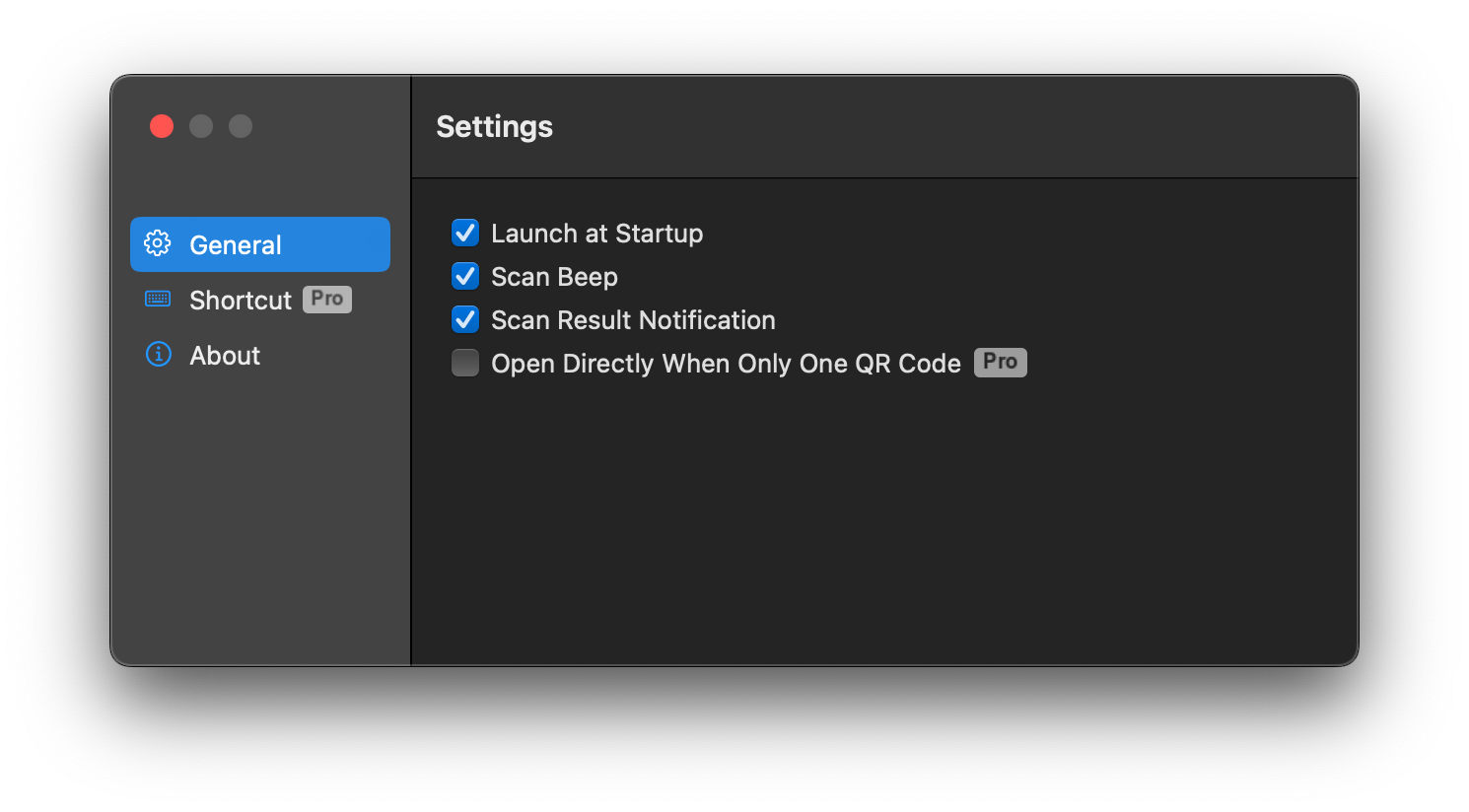
Everything You Need, All in One Place
QRCodeSnap offers a range of customizable settings to perfect your user experience. Set it to launch at login so it's always ready, enable sound notifications for instant feedback on every successful scan, or choose to receive results directly via a system notification. We've thought of every detail.
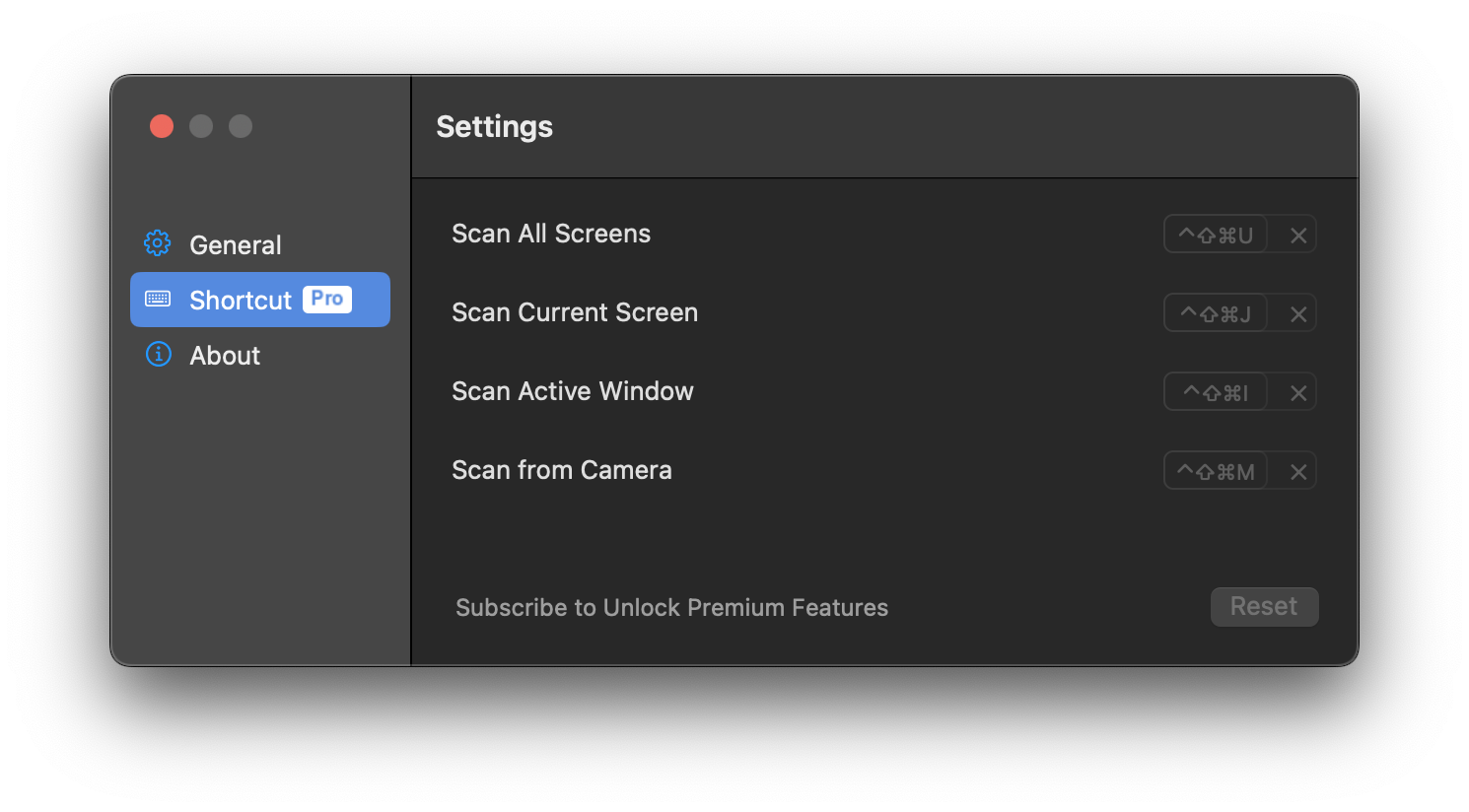
Upgrade to Premium, Unlock More Possibilities
By subscribing to the Premium plan, you get access to more powerful features to enhance your workflow. Enable "One-Click Open" mode to instantly open the result when only one QR code is found; set a global shortcut to trigger a scan with just your keyboard; you can even use your Mac's camera to scan real-world QR codes.